 ExportGHL
Export, transfer and clone
GoHighLevel workflows (automations).
GoHighLevel workflows are also called automations. Save any workflow to your cloud library, then export, transfer or deploy it into another sub-account or agency in one click — with pipelines, tags, users and custom fields remapped automatically, so it actually works in the destination.
Save it once. Check. Deploy.
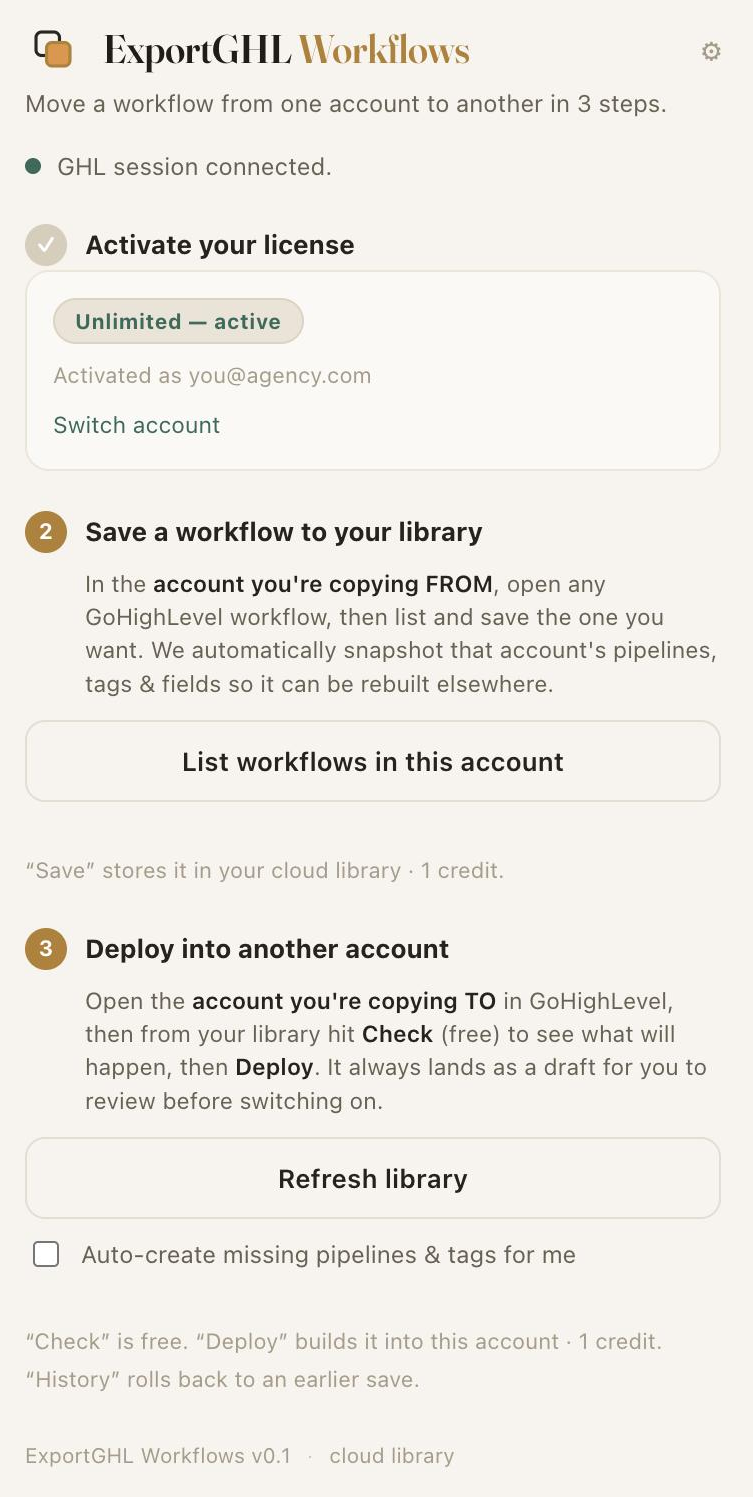
GoHighLevel's native tools stop at your own agency: duplicate copies a workflow inside one sub-account, and Copy Workflow to Sub-Account is agency-admin and same-agency only, landing in draft. ExportGHL Workflows moves it across that wall — into any account you can open — in three clear steps, right inside GoHighLevel.
Save to your library
In the account you're copying from, save any workflow — every step, trigger and setting — to your private cloud library. It automatically snapshots that account's pipelines, tags and fields so the workflow can be rebuilt elsewhere.
See exactly what will happen
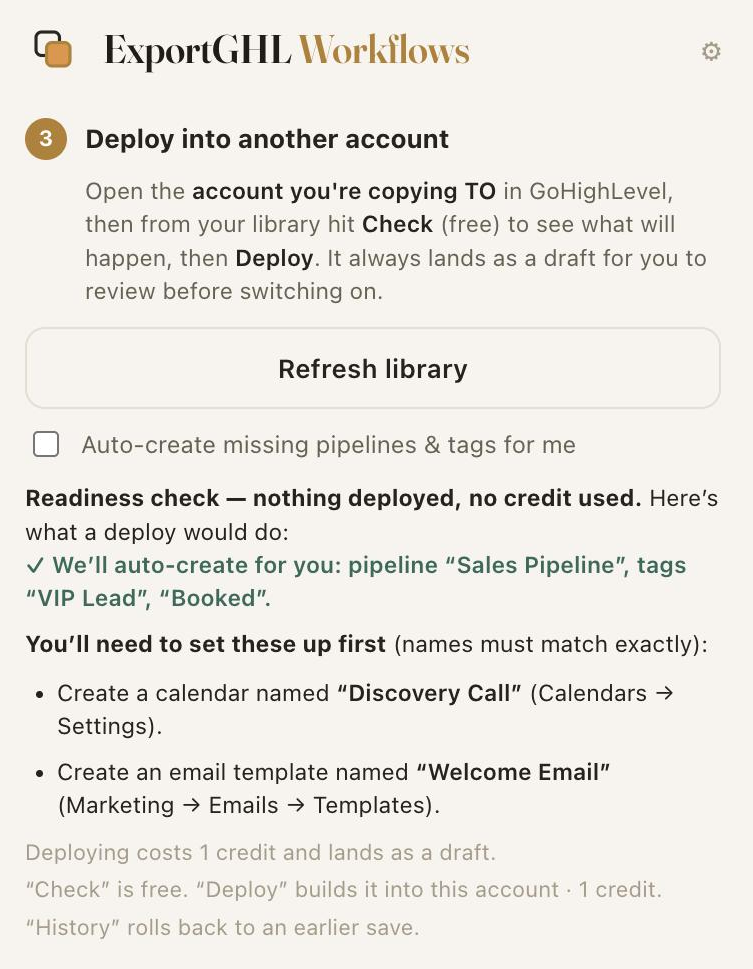
Open the destination account and hit Check — a free readiness report that shows what will map, what we'll auto-create for you, and anything you need to set up first. No credit spent, nothing deployed.
Build it in the new account
Deploy as a new workflow with pipelines, tags, users, fields and stages remapped by name. It lands as a draft for you to review — a working clone, never a broken copy.
Built for agencies that run many accounts.
- A private cloud library of reusable workflows
- Free readiness check — see what will map before you spend a credit
- Auto-create missing pipelines & tags in the destination for you
- One-click deploy into any sub-account — across agencies
- Cross-account remap: pipelines, stages, tags, users & fields, by name
- Stages matched within their own pipeline — no wrong-funnel mismaps
- Always lands as a reviewable draft — never published broken
- Version history + pay-as-you-go credits that never expire
Cloning GoHighLevel workflows — FAQ
How do you clone a GoHighLevel workflow?
Can I copy a workflow between sub-accounts or agencies?
What happens to pipelines, tags and custom fields?
Does deploying overwrite an existing workflow?
How is this different from a GoHighLevel snapshot?
Can you export a GoHighLevel workflow?
How do I transfer GHL automations between accounts?
Can I see what will happen before I deploy?
Will it create the missing pipelines and tags for me?
Move your first workflow free
No credit card. Clone a workflow into another account in minutes.
Start freeEverything on cloning GoHighLevel workflows
Start with the complete migration guide, or jump to what you need.
Clone, copy & reuse
- Export GoHighLevel workflows & automations
- Clone a GoHighLevel workflow
- Copy a workflow between accounts
- Cross-account ID remap
- GoHighLevel workflow migration
- Reuse workflows across every sub-account
- Bulk clone workflows between accounts
- Build a workflow template library
- Back up your workflows
- Hand off workflows to a client
- Export a workflow as JSON